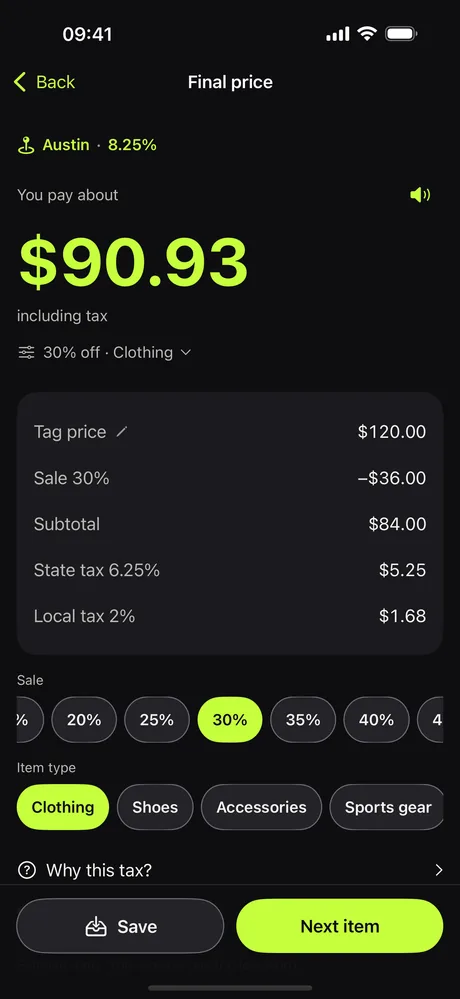
$120 on the tag. $90.93 at the register.
Scan the price tag. Summalo finds your place, knows its tax rate, applies the sale and shows the final price, in euros too.
See it in the app
The real screens, as they look on your iPhone.
Three taps. One number.
No math, no guessing at the register.
Scan the tag
Point your camera at the price tag. Picked the wrong number? Tap the right one.
Set place and sale
Tap Use my location (or enter a ZIP code) and the tax rate is found. Choose the sale in 5 percent steps, or type your own.
See what you pay
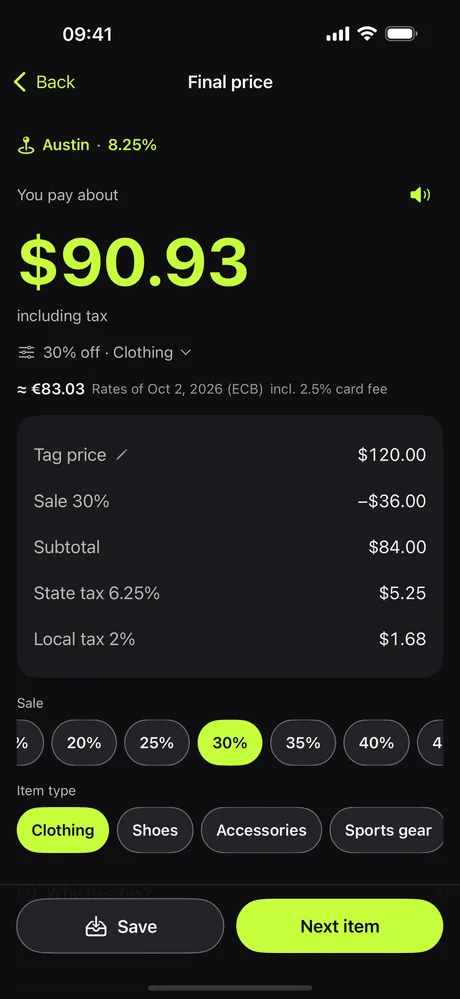
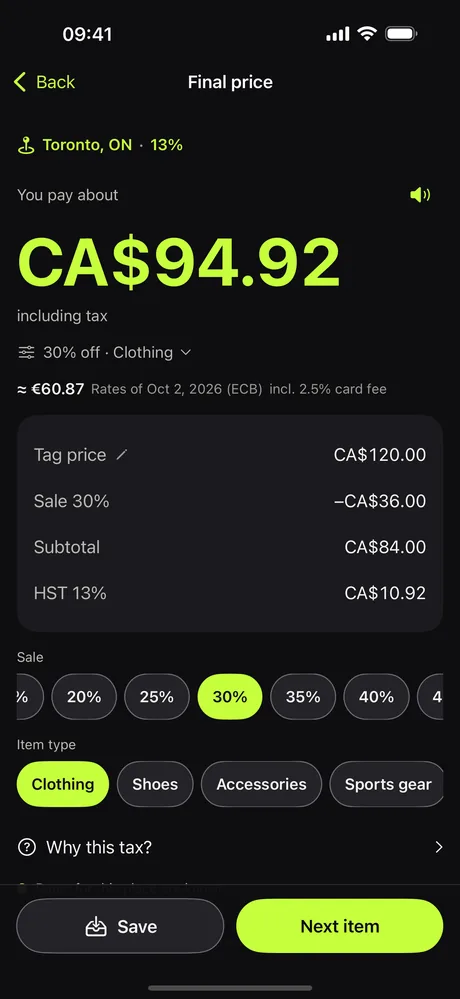
Summalo adds the tax and shows every step, in dollars and, if you like, in euros.
Everything for the price at the shelf
The price on the tag is not the price at the register. Summalo closes the gap.
Reads the tag for you
Your phone finds the price on the tag. With two prices on one tag it starts from the store's price.
Finds your place and its tax rate
One tap on your location, a ZIP code or a city name. Where no local rate is known, you enter it once.
Sale included
Choose 5 to 90 percent or type your own. The sale comes off first, then the tax is added, like at the register.
Final price in euros too
See your currency next to the dollars, with your card's foreign fee. Exchange rates are built in.
Clothing and food rules
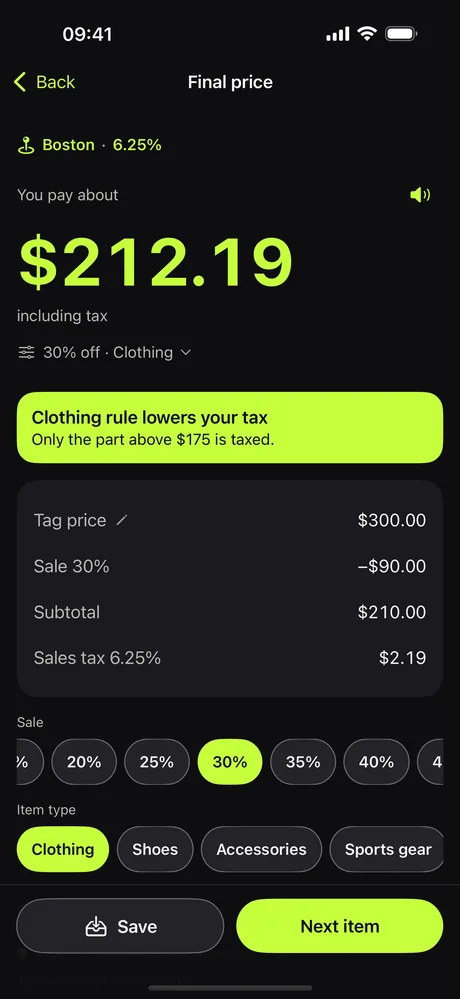
Some states skip tax on clothes or tax only the part above a limit. Food and drink have their own rules. You see which one applied.
Tax-free days
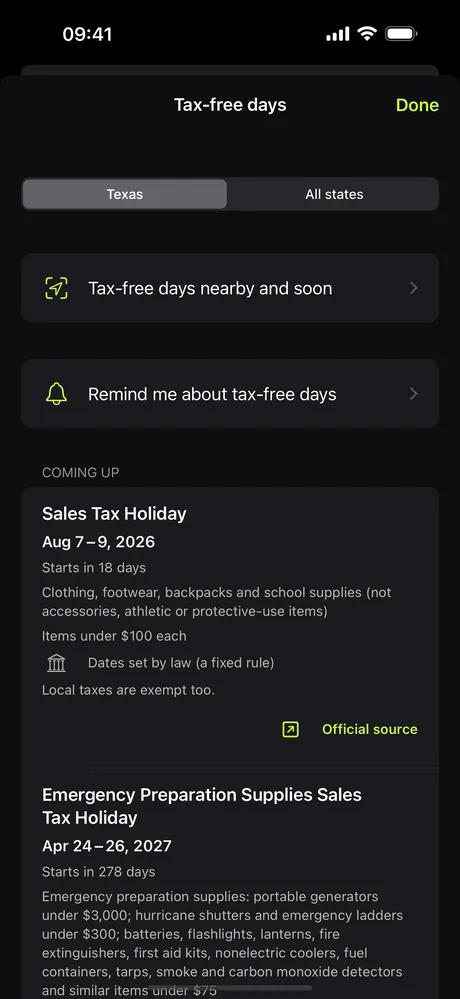
Dates and limits for 18 states, applied on those days, with reminders if you like.
Private by design
Scanning happens on your phone. No account, no tracking. Sharing a local tax rate is optional and anonymous.
Works offline
Tax rates are stored in the app, so it works in a mall with no signal.
Free
Free to download and free to use.
More than a tag scanner
The extras are off until you switch them on in Settings, so the scan stays the main screen.
Canada too
Switch on Canada in Settings and see the final price in all 13 provinces and territories: GST, HST, PST and QST on separate lines, in Canadian dollars. Find your place by city, postal code or GPS.
Work back from the register
Type what the register charged and get the price on the tag. Handy to check a receipt on the spot.
Final price in your currency
See the price in euros or any of 30 currencies next to the dollars. Add your card's foreign fee for the amount that really leaves your account.
Current ECB exchange rates
Euro reference rates of the European Central Bank are built in. One tap fetches the latest ones, and the app shows their date. It asks before going online.
Tax-free days and reminders
Dates and limits for 18 states, applied when you shop on such a day. Reminders are made on your iPhone, nothing goes to a server.
Food and drink rules
Groceries, candy, soda, prepared food, alcohol and medicine are taxed differently. Summalo knows the rules for more than 40 states.
Rates for your place
City and county rates for California, Florida, Texas and New York are built in. More than 30 more states are a free download. Find your place by name, GPS or ZIP code.
Cart and budget
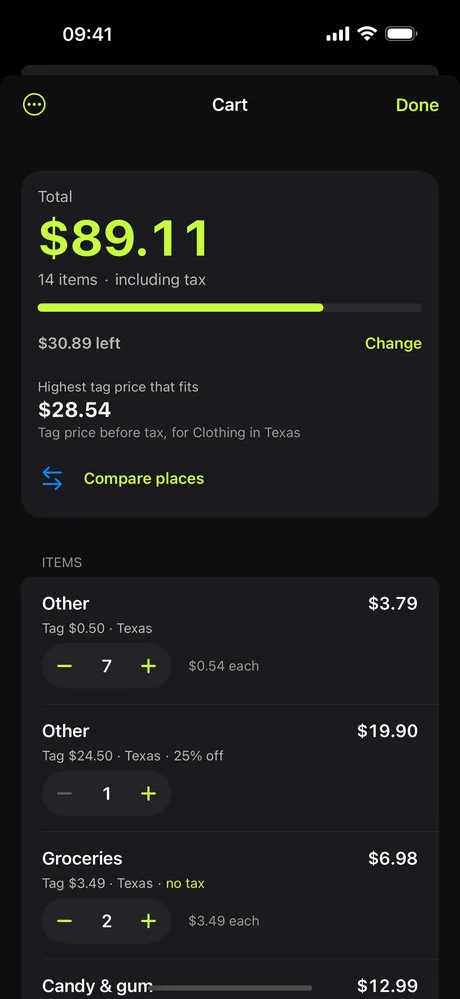
Collect items on a shopping trip, see the running total with tax, set a budget limit and export the list as CSV.
Restaurant bill
Tax, tip and splitting for a bill, starting from the prices on the menu.
Receipt check
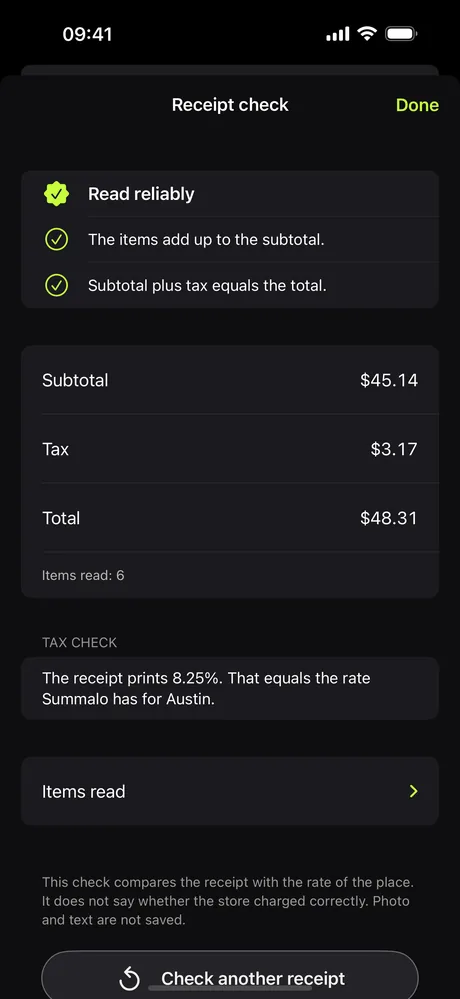
Photograph a US receipt and see whether it adds up and whether its tax fits the rate of the place. Read on your iPhone, nothing is stored.
Learns your stores' tags
Many tags show a suggested price and the store's price. Tap the right one once and Summalo remembers where that brand puts it. Only the position, never the photo.
Barcode scan
Scan a product's barcode to pick the right food category. It always asks before going online.
Search with one tap
Opens a ready search at eBay, Google Shopping or Amazon. Summalo sends nothing.
Compare nearby places
Compare the price with places around your ZIP code, using tax rates stored on your device.
Widgets and quick start
Widgets for tax-free days, the tax rate at your place and your last scan (iOS 18). Start a scan from the Lock Screen, Control Center, Action button or Siri.
Apple Watch app
A keypad calculator on your wrist, tax-free days and watch face complications.
See the difference
Same shoe, same sale, two cities.
Examples for illustration.
Sales tax in every state
Pick a state on the map: state rate, local taxes, clothing and food rules, tax-free days and official sources.
Questions
Is the price exact?
It's a careful estimate. Stores can apply coupons or tax in their own way, so the register has the last word.
Do I need internet?
No. Scanning, tax rates and the stored exchange rates work offline. The app only goes online when you ask it to: for live ECB rates, an optional state download or a barcode lookup, and it tells you first.
Does Summalo collect data?
Scanning and calculating stay on your phone. If you choose to share a local tax rate you typed in, Summalo sends only the state, the ZIP code and the rate. No name, no account, no device ID. You can turn it off any time.
Can I see the price in euros?
Yes. Switch on the currency extra in Settings and Summalo shows the final price in euros or one of 30 currencies, optionally with your card's foreign fee.
Where do the exchange rates come from?
From the European Central Bank (euro reference rates). A recent set is built into the app, and one tap fetches the latest one directly from the ECB. Rates between two other currencies are calculated by Summalo and are indicative only.
Does it cost anything?
No. The app is free.
Why is tax added at the register?
In the US, shelf prices don't include sales tax. It's added at checkout, and the rate depends on where you are.
Does it work in Canada?
Yes. Switch on Canada in Settings under Extras: all 13 provinces and territories, in Canadian dollars. Other countries are not covered.
Is it connected to a shoe or clothing brand?
No. Summalo is independent and not affiliated with any brand.